










































































Construction Technology, Digital Transformation
Master Aconex Project Implementation: The Top 5-Step Action Plan
Introduction to Aconex Project Implementation
Table of Contents
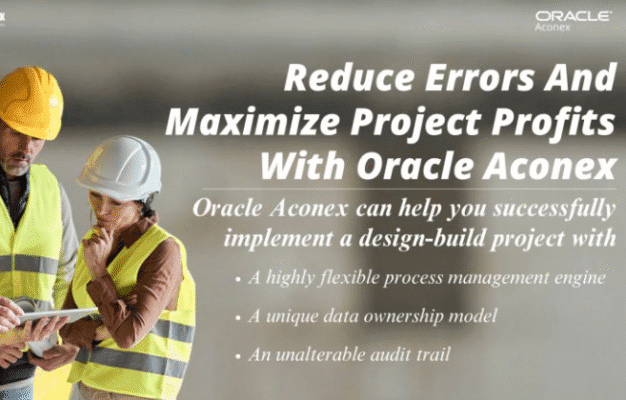
Aconex is the mission-control for large-scale construction and engineering projects. It’s more than just a tool; it’s the digital backbone that ensures every architect, contractor, and client is working from the same blueprint, in real-time.
But a successful Aconex rollout isn’t magic—it’s a method. We’ve distilled the implementation journey into five essential, action-driven steps. Follow this guide to not just use Aconex, but to master Aconex Project Implementation and deliver your projects on time, on budget, and with maximum transparency.
1. Define Your Success: The Planning & Goal-Setting Phase
Aconex is a powerful platform, but without clear direction, it’s just powerful software. This foundational step is about alignment.
Action Steps:
- Engage Early & Broadly: Don’t just inform stakeholders—involve them. Host a mandatory kickoff workshop with architects, engineering teams, and client representatives. Use this session to identify their biggest pain points (e.g., “version control issues,” “slow RFI turnaround”).
- Establish 3-5 SMART Goals: Translate those pain points into measurable objectives.
- Example: Reduce RFI (Request for Information) turnaround time by 30% within the first 60 days.
- Example: Achieve 100% digital sign-off for submittals, eliminating all paper-based approvals.
- Create the Implementation Roadmap: Develop a detailed plan with clear milestones: setup completion, training schedules by role, a pilot project go-live date, and post-launch check-ins. Tip: Assign a dedicated Aconex Champion to own the schedule and internal comms.
2. ⚙️ Standardize & Structure: The Configuration Phase
The success of Aconex Project Implementation hinges on consistency. If every team uses their own folder structure or naming convention, you lose the “single source of truth” advantage.
Action Steps:
- Mandate a Document Naming Convention: This is non-negotiable. Draft and enforce a project-wide standard (e.g.,
[Discipline]-[Doc Type]-[Seq. No.]-[Rev]). Use Aconex’s document features to enforce this before upload. - Map Existing Workflows: Identify your current, slow, paper-based processes (e.g., design review, technical query). Replicate and automate them directly within Aconex’s Mail and Workflow module. This eliminates email chains and creates an immutable audit trail.
- Configure Access & Security: Set up user roles with the principle of least privilege. Ensure only the right people can view or edit sensitive documents like contracts or payment applications.
3. Tailored Training: The User Adoption Phase
An untrained user is a roadblock. Effective training isn’t a one-size-fits-all presentation; it’s a role-specific empowerment session. User adoption is the true measure of a successful Aconex implementation.
Action Steps:
- Role-Based Training: Divide teams by their primary platform use:
- Project Managers: Focus on progress monitoring, reporting, and workflow management.
- Document Controllers: Deep dive into document control, versioning, and transmittals.
- Contractors/Engineers: Train specifically on uploading documents, responding to RFIs/Submittals, and using the mobile app.
- Run a “Live Data” Practice: Use a small set of real project data during training so team members can practice tasks that are immediately relevant to their jobs.
- Set a “Soft Launch” Period: For the first two weeks, actively monitor user activity. Offer one-on-one “desk-side support” to address immediate anxieties and ensure correct usage from Day One.
4. Monitor & Mandate: The Execution & Tracking Phase
Once implemented, Aconex transforms into your project’s real-time dashboard. Your job is to actively use its reporting tools to keep the project on the rails.
Action Steps:
- Track Key Performance Indicators (KPIs) in Aconex: The platform’s built-in analytics are your eyes and ears. Focus on:
- Workflow Cycle Time: Is your RFI turnaround time shrinking as planned?
- Document Review Status: How many documents are overdue for review? Proactively chase them.
- Usage/Adoption Rate: Ensure all key project communication is flowing only through Aconex. Mandate that any communication not logged in Aconex is considered unofficial.
- Conduct Weekly “Health Checks”: Dedicate a slot in your project meeting to review Aconex reports. Highlight teams that are excelling and those that need intervention.
- Leverage the Mobile App: Encourage site personnel to use the Aconex Field module for inspections, site diaries, and instantly logging issues, linking site activity directly to project documentation.
5. ✅ Reflect & Refine: The Post-Implementation Review
Implementation doesn’t end at go-live. The final, critical step is learning how to make the next Aconex implementation even better. This fosters a culture of continuous improvement.
Action Steps:
- Gather Stakeholder Feedback: Within 30 days of project closure, run a mandatory survey. Ask: “Did Aconex improve the speed of document exchange?” and “Where did the system create the most friction?”
- **Document “Lessons Learned”: Create a formal, internal report that captures:
- The 3 most successful implementation strategies.
- The 3 biggest challenges and their solutions.
- Recommendations for optimizing future Aconex Project Implementation setups (e.g., new default settings, revised training materials).
- Archive and Standardize: Ensure all final project data is properly archived according to client/regulatory requirements (Aconex is excellent for this). Use the successful configurations and processes as the new organizational standard for all future projects. This ensures repeatable, predictable success.
Thanks for reading! Stay curious, keep exploring.